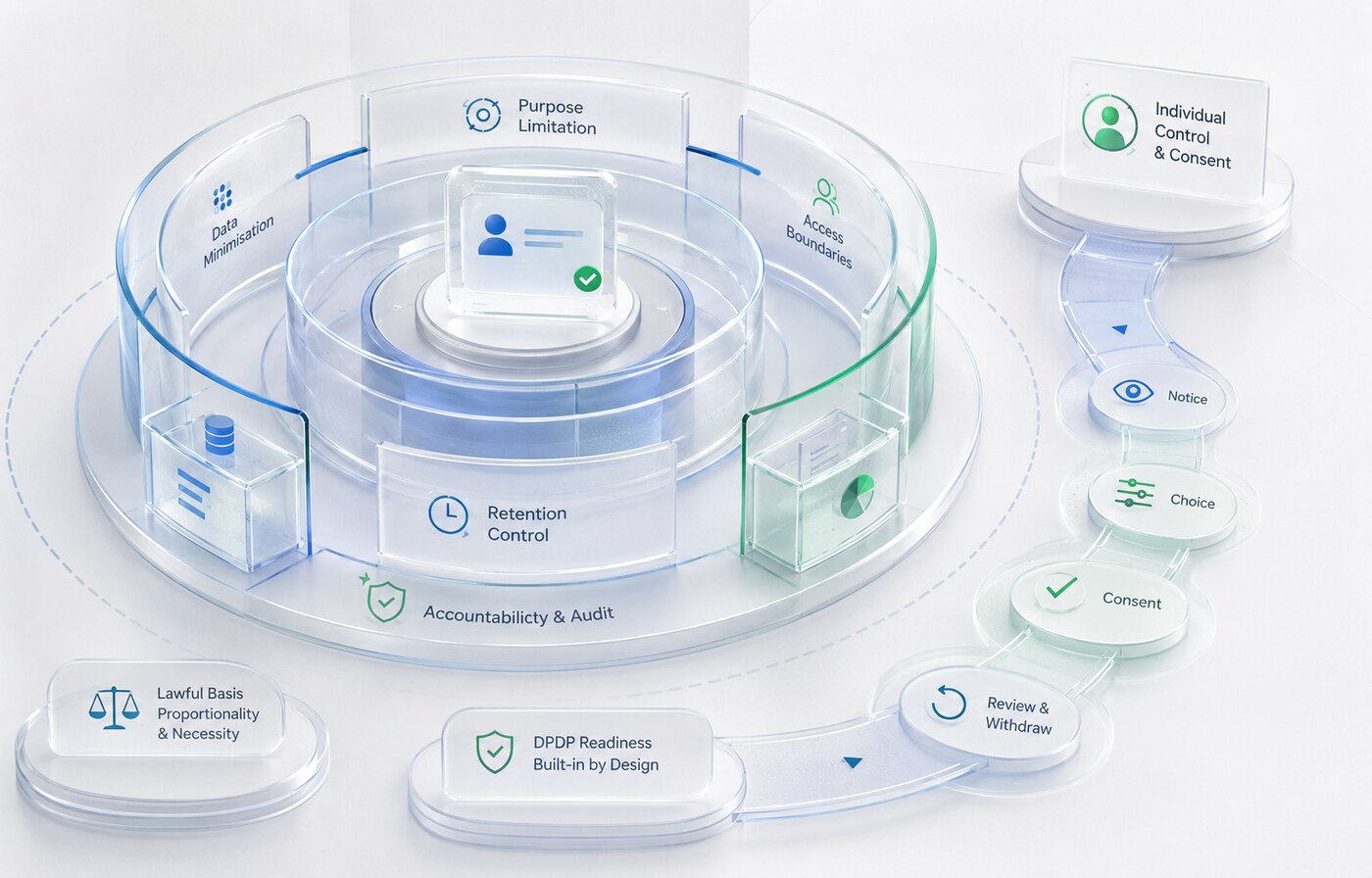
India’s Digital Personal Data Protection framework has moved into an implementation phase. The Digital Personal Data Protection Rules, 2025 were notified in November 2025 with staggered commencement. For businesses, the most useful response is not a last-minute privacy-page rewrite. It is a structured review of how personal data moves through websites, apps, CRMs, vendors and automation.
This article is a practical technology checklist, not legal advice. Organisations should obtain advice appropriate to their industry, data and obligations.
Why Indian businesses should prepare now
The notified Rules use a phased timeline. Rules 1, 2 and 17 to 21 came into force on publication. Rule 4 is scheduled one year after publication, while Rules 3, 5 to 16, 22 and 23 are scheduled eighteen months after publication. That sequencing creates a readiness window—but it also means data and product teams need to begin before every operational requirement applies.
The DPDP Act is built around lawful processing, clear notice, valid consent where relied upon, reasonable security safeguards and rights such as access, correction and erasure in applicable circumstances. These obligations affect product design and operations, not only legal documents.
1. Build a real data inventory
List every place where personal data enters the organisation:
- website contact and quote forms;
- mobile-app registration and permissions;
- career applications and résumé uploads;
- WhatsApp and support conversations;
- e-commerce checkout and fulfilment;
- analytics, advertising and tracking tools;
- CRM, ERP, spreadsheets and cloud drives;
- vendors that receive or store customer information.
For each source, record what is collected, why it is needed, who can access it, where it is stored, which vendor is involved and when it should be deleted. A diagram is often more useful than a long policy because it exposes hidden copies and unowned handoffs.
2. Connect every field to a defined purpose
Review each form field and app permission. If the business cannot explain why it needs a piece of personal data, remove it or make it genuinely optional. Purpose limitation should be visible in the interface and enforced in downstream systems.
For example, a project-enquiry form may reasonably need a name, business email, company, requirement and preferred contact method. It does not automatically need a date of birth, personal address or contact list.
3. Rewrite notices around the actual interaction
A notice should help a person understand what will happen before or alongside collection. Generic language buried in a footer cannot compensate for a form that behaves differently.
At each important collection point, explain:
- what information is requested;
- the specific purpose;
- the organisation responsible;
- how the person can exercise applicable rights or raise a grievance;
- how to withdraw consent when consent is the basis.
Keep the full privacy notice available, but use concise contextual text at the form or permission request.
4. Record consent instead of assuming it
Where the organisation relies on consent, record the version of the notice, the affirmative action, the time, the source and the purposes accepted. Pre-ticked boxes and bundled choices make it difficult to demonstrate a clear decision.
Withdrawal should be reasonably comparable in ease to giving consent. That requires connected systems: an opt-out in WhatsApp should update the relevant preference record, not remain isolated in one employee’s phone.
5. Create a request-handling workflow
People may have applicable rights to access information, request correction, completion, updating or erasure, and raise grievances. A privacy email address is only the entry point. The organisation needs a workflow to verify identity, locate data across systems, assign an owner, record the response and prevent deleted data from being recreated by an old integration.
Test the workflow with a sample customer before it is needed under pressure.
6. Review every processor and technology vendor
Create a register of hosting, CRM, analytics, communication, recruitment, cloud, AI and support providers. Document the data shared, the provider’s role, security expectations, location, retention behaviour and deletion process.
Do not send an entire database to a tool when a limited record or anonymised dataset is enough. Revoke accounts and API keys when a vendor or employee no longer needs access.
7. Build reasonable security into normal operations
Security is not one plugin. A practical baseline includes:
- multi-factor authentication for administrative accounts;
- least-privilege roles and periodic access reviews;
- secure password and secret management;
- encryption in transit and appropriate storage protection;
- patching and dependency updates;
- tested backups with restricted access;
- logging for important access and changes;
- incident ownership and escalation contacts.
Security controls must cover exported spreadsheets, shared documents and messaging tools—not only the primary application.
8. Prepare for a personal-data breach
Define what counts as an incident, who investigates it, how systems are contained, how affected records are identified and who decides the required notifications. Maintain current vendor contacts and preserve logs needed for investigation.
A tabletop exercise is valuable: simulate a compromised administrator account or an incorrectly shared customer export and record where the response stalls.
9. Set retention and deletion rules
“Keep everything forever” increases cost and risk. Define retention by record type: unsuccessful job applications, completed project enquiries, customer-support records, invoices and marketing preferences may each require a different period.
Deletion should include primary systems, routine exports and connected processors where appropriate. Backups require a documented lifecycle even when immediate record-level deletion is technically impractical.
10. Treat AI and automation as part of the data system
An AI agent, WhatsApp workflow or automated scoring system can process personal data at speed. It therefore needs the same purpose, access, retention, vendor and security review as any other application.
Use restricted knowledge sources, remove unnecessary identifiers, log important actions and keep people accountable for consequential decisions. Do not allow an experimental automation to become an ungoverned production database.
A practical 30–60–90 day readiness plan
First 30 days: visibility
Name an accountable lead, map collection points, list vendors, review public forms and identify systems containing high-volume or sensitive information.
By 60 days: control
Update contextual notices, consent records, access roles, vendor documentation, retention decisions and the process for individual requests.
By 90 days: evidence
Test withdrawal, correction and deletion; run an incident exercise; close unused integrations; train customer-facing teams; and document decisions that show how the organisation manages data in practice.
Inwant Technologies helps organisations translate privacy requirements into clearer forms, permissioned systems and accountable automation. For a technology review, contact our team or start with our approach to connected digital systems.
Frequently asked questions
Are the DPDP Rules 2025 fully effective?
The notified Rules use staggered commencement. Different groups of rules take effect on publication, after one year and after eighteen months. Organisations should check the official Gazette and obtain current advice for the requirements that apply to them.
Is a privacy policy enough for DPDP readiness?
No. A policy is one visible element. Systems also need appropriate notices, purpose controls, consent records where relevant, security, retention, vendor governance and request handling.
Does the DPDP framework affect small businesses?
Applicability depends on the processing activity and the law, not simply company size. Small organisations still benefit from minimising data and documenting how it is handled.
Should businesses stop using analytics or AI?
Not automatically. They should understand what data the tool receives, use an appropriate purpose and basis, configure it carefully, control access and retain only what is needed.